Project at Seven.One Entertainment/ Joyn

Player UI for Live TV

To enhance the Live TV experience on Joyn, I worked on refining the player UI and controls, with a strong focus on accessibility, a key priority due to the European Accessibility Act.
Role

Senior Product Designer

Scope

Redesign the Live TV player UI with a focus on improved accessibility, intuitive navigation and clear program details.

Device

Android TV

Timeframe

2024-2025

Overview

A More Usable and Inclusive Live TV Experience

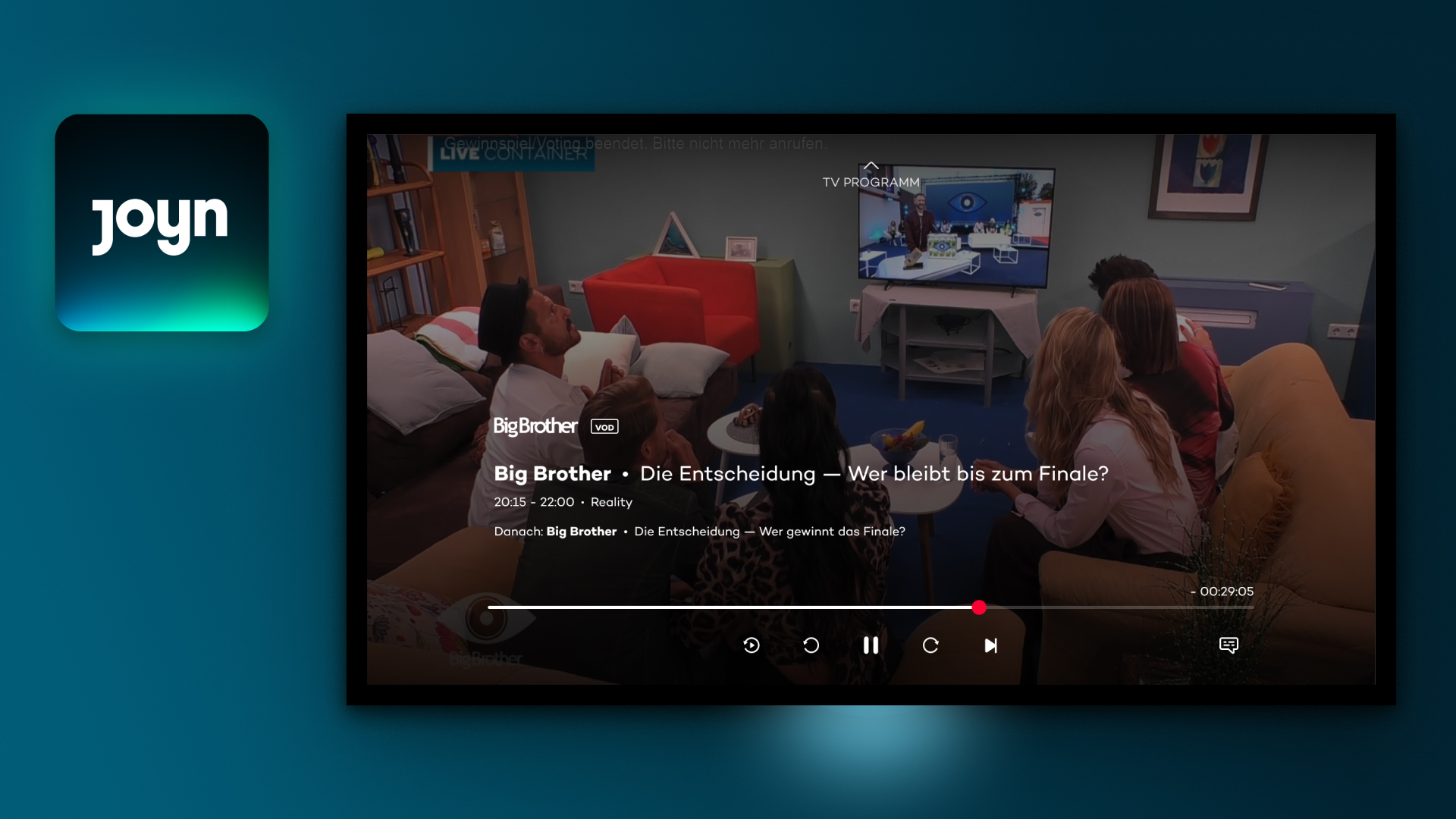
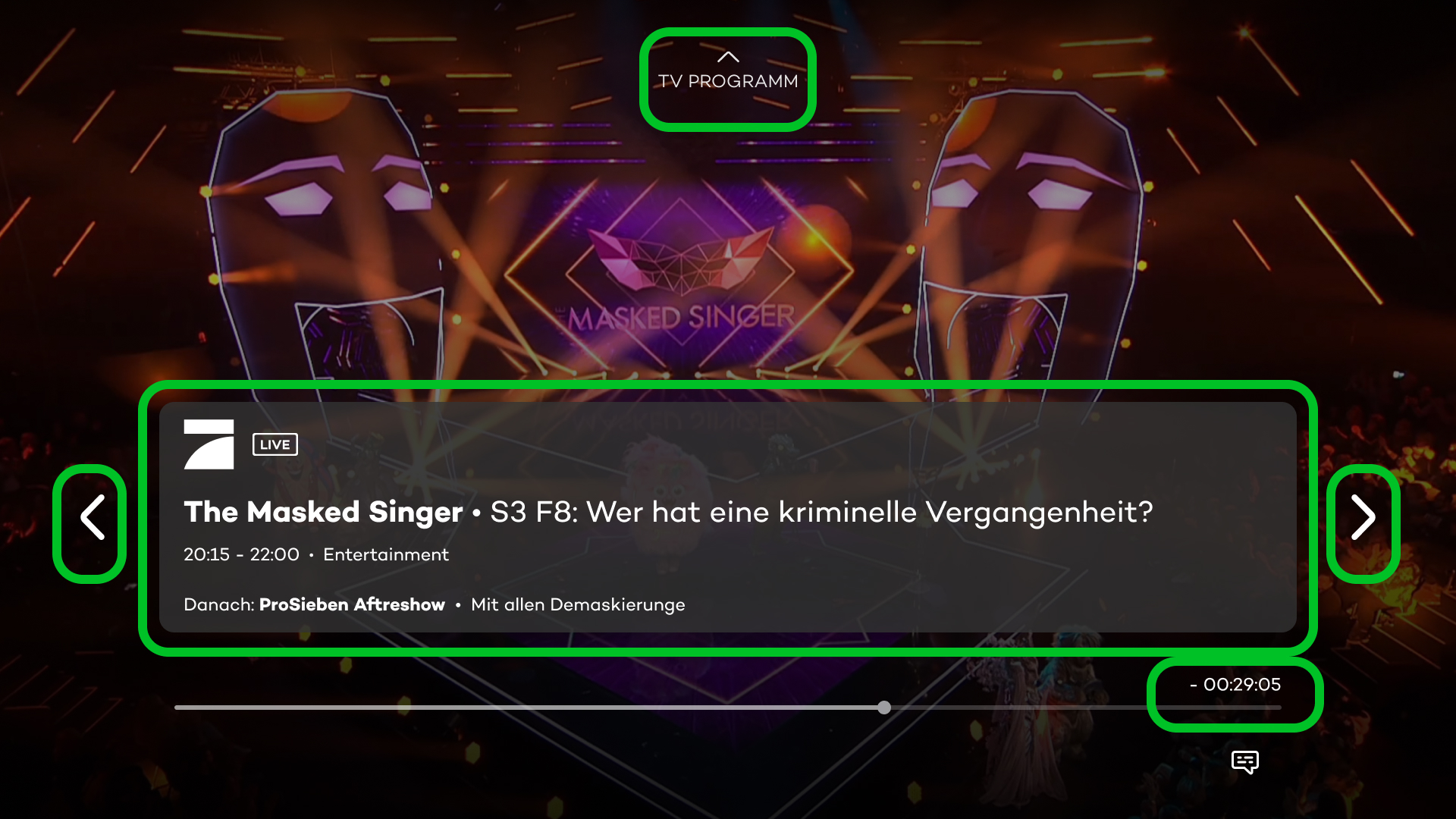
The previous player lacked clear information about the currently running program, so I introduced an overlay tile displaying program details. To enhance usability, I added arrow indicators to show that users can zap between programs by clicking left and right, while pressing down brings up the redesigned, more accessible player controls.

These updates make Live TV easier to navigate, more informative, and inclusive for all users.
Collaboration

Mentoring, Teamwork, and Iterative Design

I led the design for this project, with support from my junior designer, whom I mentored and guided through my design process and reasoning. The main design work was done in Figma, where I created wireframes, high fidelity designs, prototypes and iterated based on feedback.

I worked closely with the core design team, the Product Managers, engineers, and the responsible UX researcher to ensure the solutions were feasible and aligned with both technical requirements and user needs.

Additionally, we conducted user testing with Figma prototypes, which helped us identify potential issues early on and make improvements before implementation.
User Problems

Why Users Struggled with Navigation

Inconsistent accessibility:

Users with varying needs faced challenges in using the player due to a lack of focus states and intuitive navigation, especially for those relying on assistive technologies.

Lack of clear program information:

Users had difficulty understanding what was currently playing, leading to confusion during navigation.

Inefficient navigation:

Users couldn’t easily switch between programs, which made the zapping experience less intuitive and frustrating.
These problems were solved by introducing clear program details, enhancing zapping navigation, and optimizing player controls for better accessibility, ensuring a more inclusive and intuitive experience for all users.
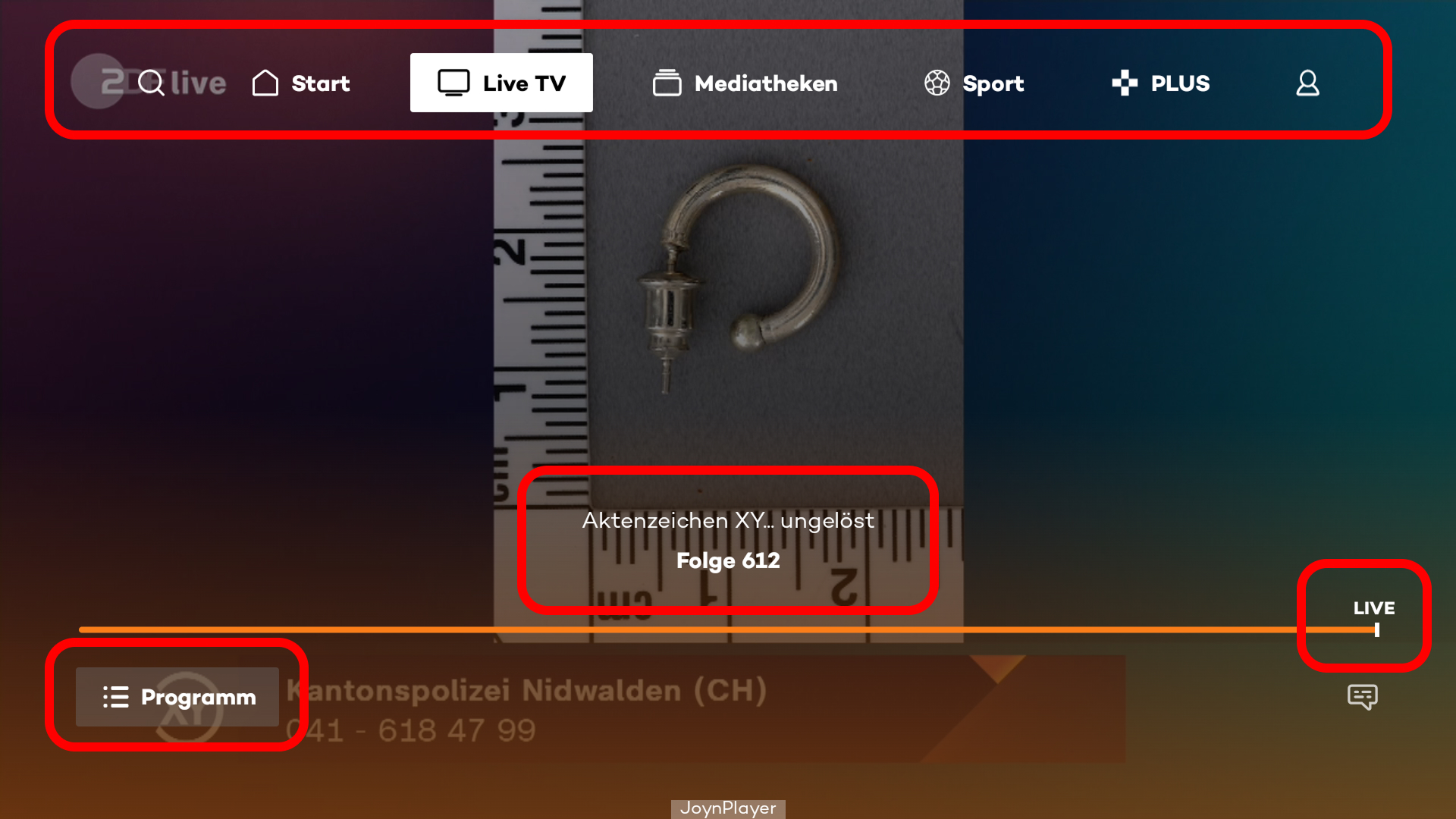
Before
After
Business goals

Optimizing Player Interaction for Growth and Accessibility

  • Increase video views: 

    Ensure users stay engaged with content by reducing interruptions and making interactions with the player more seamless.
  • Enhance user retention:
    Improve the Live TV experience to encourage users to return and continue using the platform.
  • Optimize the zapping experience: 
Make it easier for users to browse and switch between programs without frustration, keeping them engaged with the content.
  • Ensure accessibility compliance: 
Align with the European Accessibility Act to meet legal requirements and expand the platform’s reach to a broader audience.
  • Create a scalable and consistent UI: 
Design a solution that integrates seamlessly with the new player UI and can be applied across different platforms and devices.
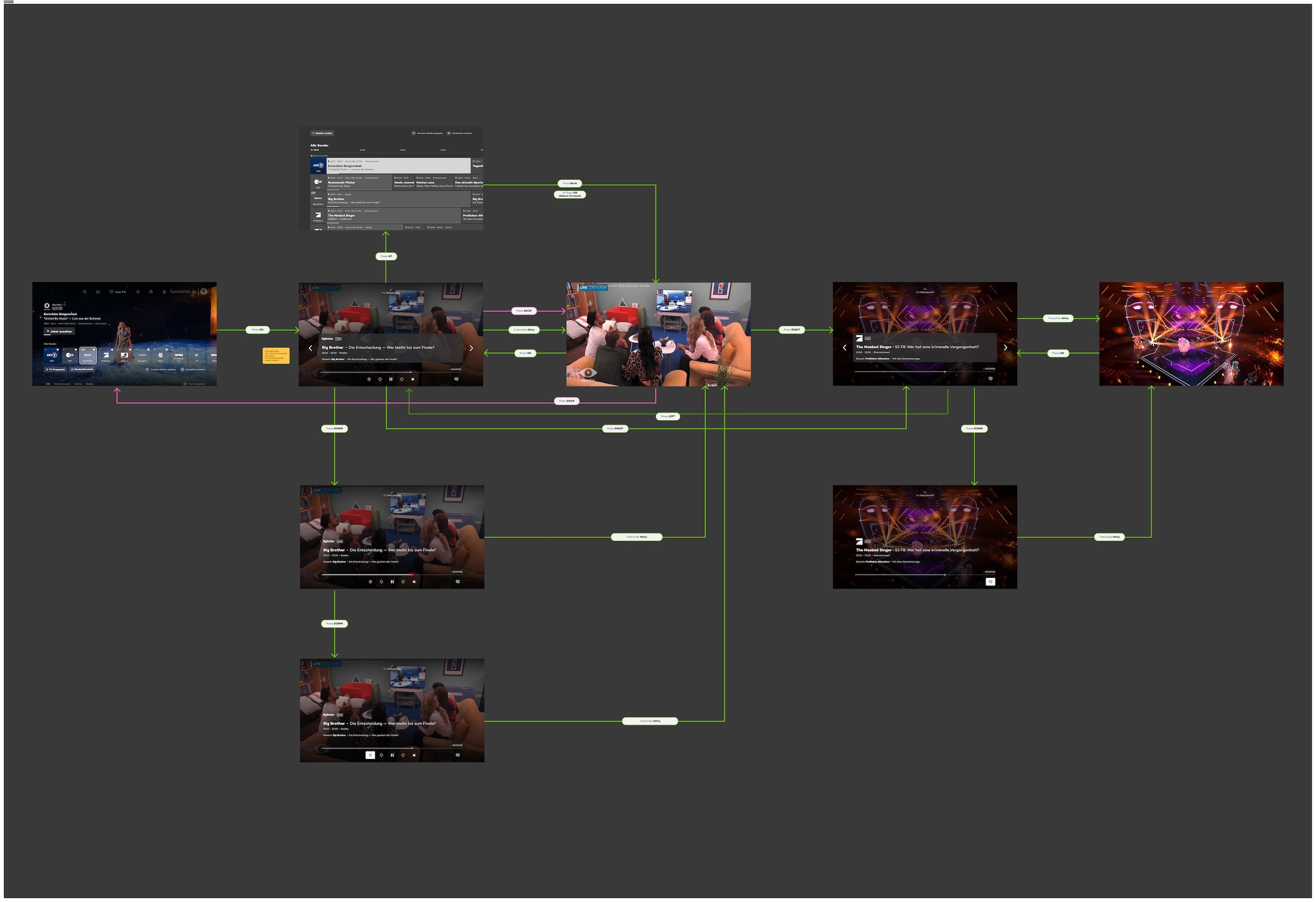
Flow Mapping
My Approach

Designing with Users in Mind

Analyzed the technical feasibility:

I worked closely with the engineering team to understand the constraints and possibilities of implementing the new design within the existing player UI framework.

Reviewed the status quo:

I evaluated the current state of the player UI to identify pain points and areas for improvement, ensuring that any changes would enhance the user experience without disrupting the flow.

Conducted competitor benchmarking:

I analyzed how other streaming platforms and players display program information, gaining insights into common practices and innovative solutions that could inform our design.

Studied accessibility standards:

I familiarized myself with relevant accessibility guidelines and requirements, particularly WCAG 2.2 Guidelines to ensure the design would be inclusive and accessible.

Mapped out a logical flow:

Based on the insights gathered, I designed an intuitive and accessible flow that balanced the user experience with technical constraints, ensuring it would be easy to implement while meeting accessibility needs.
Let's talk

Say Ciao & send me a message

If you’re hiring or want to explore collaboration, I’d love to hear from you.
Contact me
Tania Haas